




No Screen
Pure audio interaction for focused learning
No Camera
Complete visual privacy for your child
No Ads
Ad-free experience for uninterrupted play
No Open Web
Controlled environment with curated content
Parent-Enabled AI
You control when and how AI is used
Mic-Off Privacy
Physical button to disable microphone anytime
One Base. Three Buddies. Three Everyday Modes.
Each buddy unlocks a different way to learn, listen, create, or wind down.

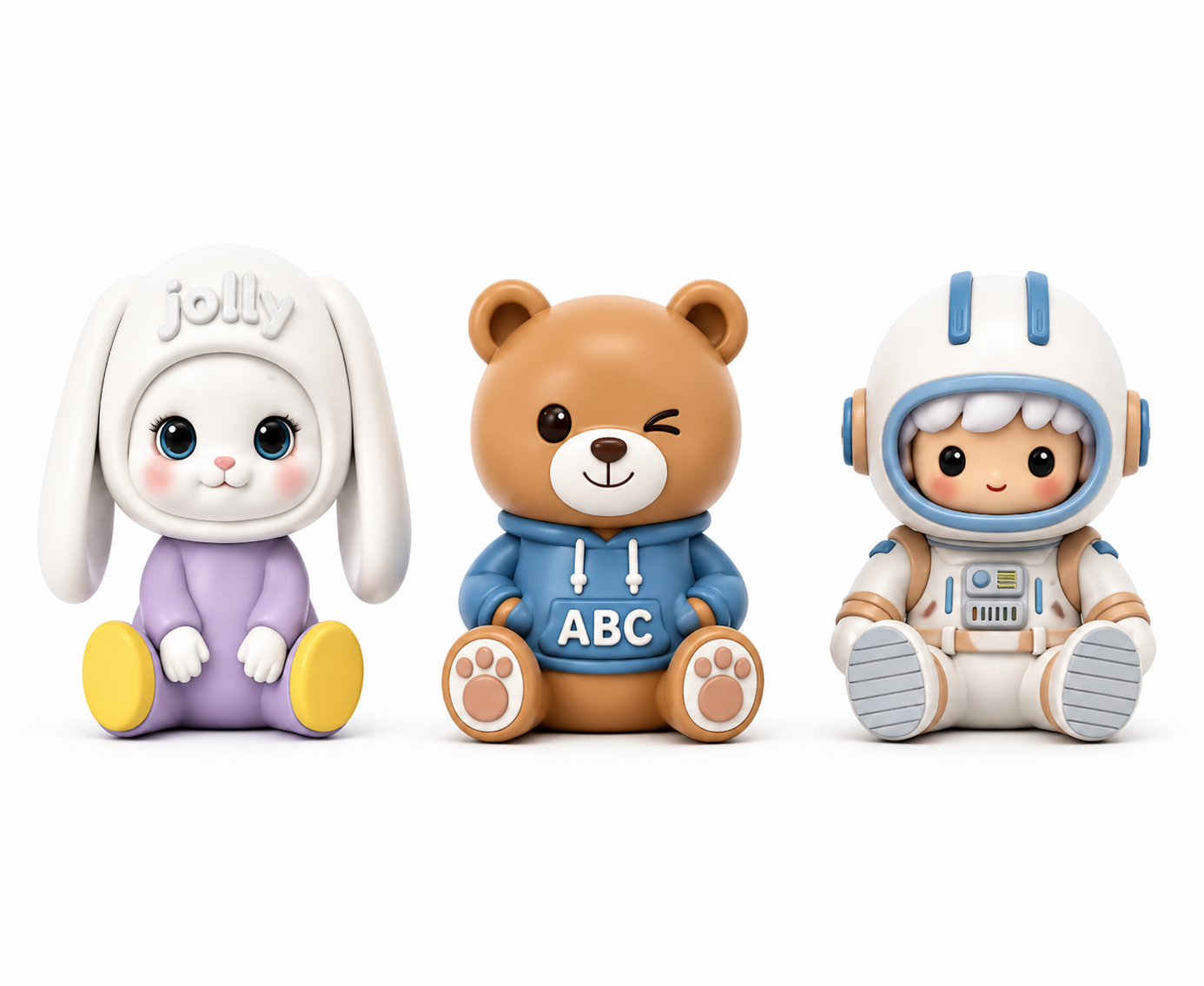
Rabbit
Jolly
Learn
Ask questions, explore everyday wonders, and enjoy safe AI conversations.

Bear
Andy
Stories & Sleep
Play built-in stories, songs, and calming bedtime sounds.

Astronaut
Mfive
Create & Spanish
Practice Spanish, create stories, and imagine new adventures together.

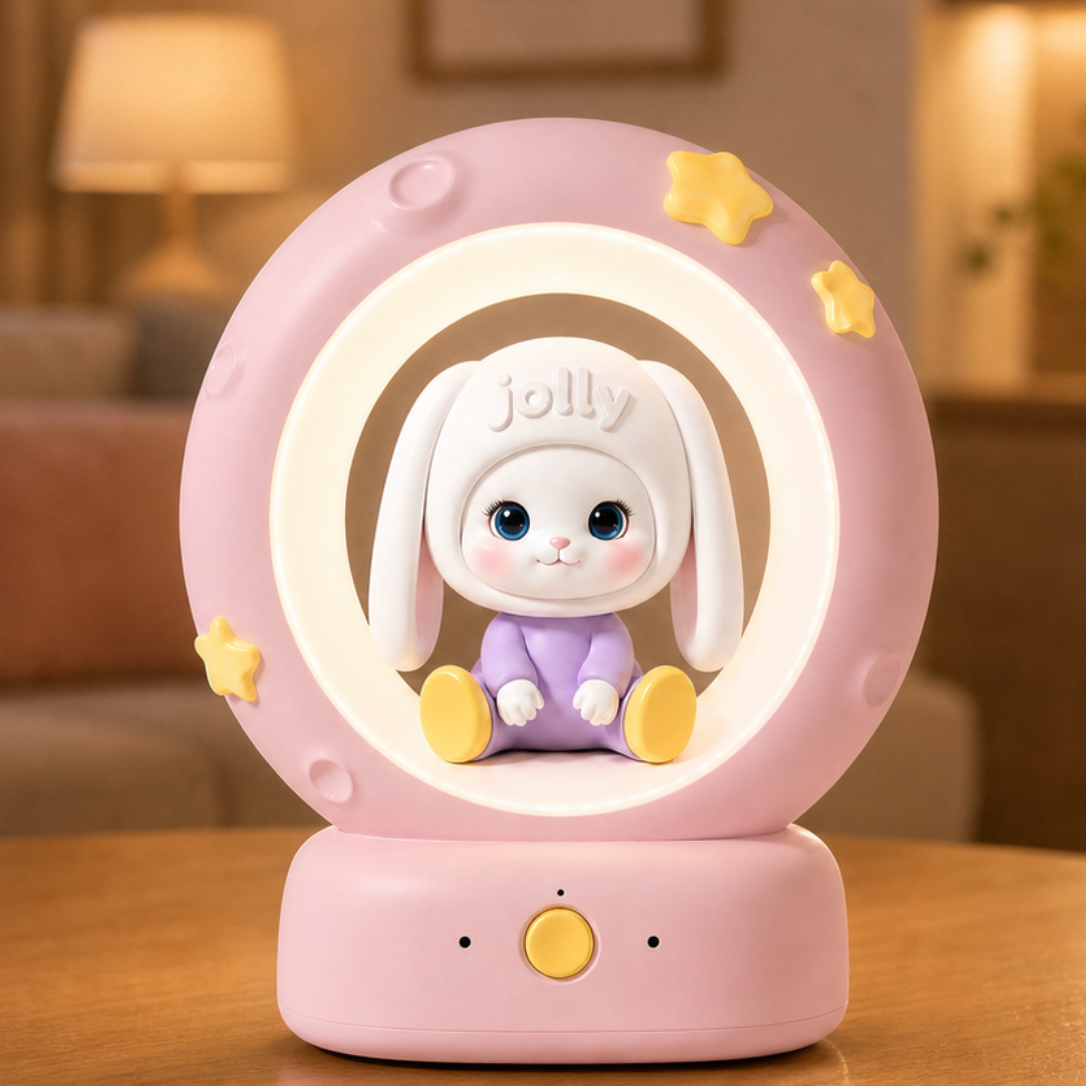
Glow Base
Night Light - A soft glow for quiet moments when no buddy is attached.

Glow Base
Night Light - A soft glow for quiet moments when no buddy is attached.

Rabbit
Jolly
Learn
Ask questions, explore everyday wonders, and enjoy safe AI conversations.

Bear
Andy
Stories & Sleep
Play built-in stories, songs, and calming bedtime sounds.

Astronaut
Mfive
Create & Spanish
Practice Spanish, create stories, and imagine new adventures together.
How Each Buddy Fits the Day
Each buddy supports a different moment in your child's daily routine.

Learn Mode
A safe AI learning companion for curiosity, questions, and everyday learning moments.

Story & Sleep Mode
Stories, music, and calming sounds to help children relax and wind down.

Create & Spanish Mode
Creative play, language learning, role play, and imagination building experiences.
Snap a Buddy. Switch the Mode.
Magnetic Snap-On
Easy for kids to place and remove.
Smart Recognition
The base knows which buddy is attached.
Instant Mode Switching
Learn, listen, create, or wind down without menus.

150 Audio Experiences. Built In.
A complete audio library is ready from day one — no content packs required.

Fairy tales, SEL stories, nature, culture, bedtime, and more.
Numbers, alphabet, colors, emotions, kindness, and daily routines.
Classic children's songs reimagined for everyday listening.
Soothing light music and natural sounds for bedtime.
No extra content packs needed to get started.
Safe by Design. Built for Peace of Mind.

Parent-Enabled AI
No Camera. No Ads.
No Open Web
Mic Power Isolation

Download the Zegbot Parent App
Scan the QR code or download from the App Store or Google Play.


Available for iOS 14+ and Android 8.0+.
Why Families Choose Zegbot
| Feature | Ordinary Audio Toy | Smart Speaker | Zegbot Nolia™ |
|---|---|---|---|
| Screen-free design | |||
| Built-in stories & music | Limited | App / subscription-based | ✓ 90 stories + 60 songs |
| AI conversation | — | ✓ Parent-enabled | |
| Parent-enabled AI | — | Limited | |
| No open web for kids | — | ||
| No camera | Depends | ||
| Buddy-based mode switching | — | — | |
| 3 years AI included | — | — |